Looking for an OpenClaw alternative? Mine is Claude Code, the Claude app and the Codex app. I ran OpenClaw hard from March to June 2026: it nailed presence and remote access, but its SOPs, memory, execution and model setup drifted with no versioning, governance or evals. The coding apps gave me the controls it was missing.
The short answer: what replaced OpenClaw for me
I used OpenClaw heavily from March to June 2026. I no longer run it. By November 2026 my real work happens in the Claude app and Claude Code, and in the Codex app, with sessions I can pick up from my phone or another machine.
That is the OpenClaw alternative I actually use. It is not a single product that copies OpenClaw. It is a different shape of tool: coding agents with versioned instructions, reviewable output and a model I choose on purpose.
This is not a takedown. OpenClaw taught me what presence feels like, and I still think its gateway is one of the cleanest ideas in agent design. But a tool that is fun to explore and a tool I trust with real work turned out to need different things.
If you are deciding between keeping an always-on personal agent and moving to the coding apps, the rest of this note is the trade as I lived it. What worked, what drifted, what I use now, and the controls I would demand from any setup.
What the comparison guides measure instead
The comparison guides rank replacements. BetterClaw's sorts nine options into categories, from lightweight rewrites like NanoClaw and ZeroClaw to n8n workflows and hosted agents, and weighs isolation, footprint, setup and price. AI/ML API's guide puts Claude Code among tools that are often compared with OpenClaw but rarely equivalent: a coding specialist, not a personal agent.
Those rankings help if your problem is footprint, sandboxing or price. Mine was drift, and a smaller runtime or a tighter sandbox does not version an SOP or pin a model. That is the lens for everything below: controls, not features.
What an always-on agent got right: presence and remote access
The gateway was the unique part. I talked to the same agent from the terminal and from WhatsApp, and it felt like one agent, not two integrations. That is by design: OpenClaw runs one local gateway process that routes every channel through a single WebSocket, so the agent shows up wherever you are. I traced that path in OpenClaw gateway architecture: why presence beats intelligence.
The heartbeat gave it a pulse. By default it wakes every 30 minutes, reads HEARTBEAT.md, and stays quiet with HEARTBEAT_OK when there is nothing to do. The mechanics are in the OpenClaw heartbeat guide.
Presence plus a pulse made it a great playground. I could throw tasks at it from anywhere and see what it would do on its own.
That combination is still the bar for any OpenClaw alternative. I wanted to reach my agent from my phone, I wanted work to continue when I was not looking at it, and I wanted one conversation instead of a pile of disconnected chats. Those needs did not go away when I stopped running OpenClaw. Any replacement had to meet that bar before I would trust it with anything else.
Where it broke: the offline Mac and four drift surfaces
The first problem was physical. My agent lived on my Mac, and when I travelled the Mac had to stay online. So I travelled with the Mac.
That sounds like a small inconvenience. In practice it meant my always-on agent was only as available as one laptop on one network. Presence everywhere still depended on a single machine somewhere.
Four drift surfaces
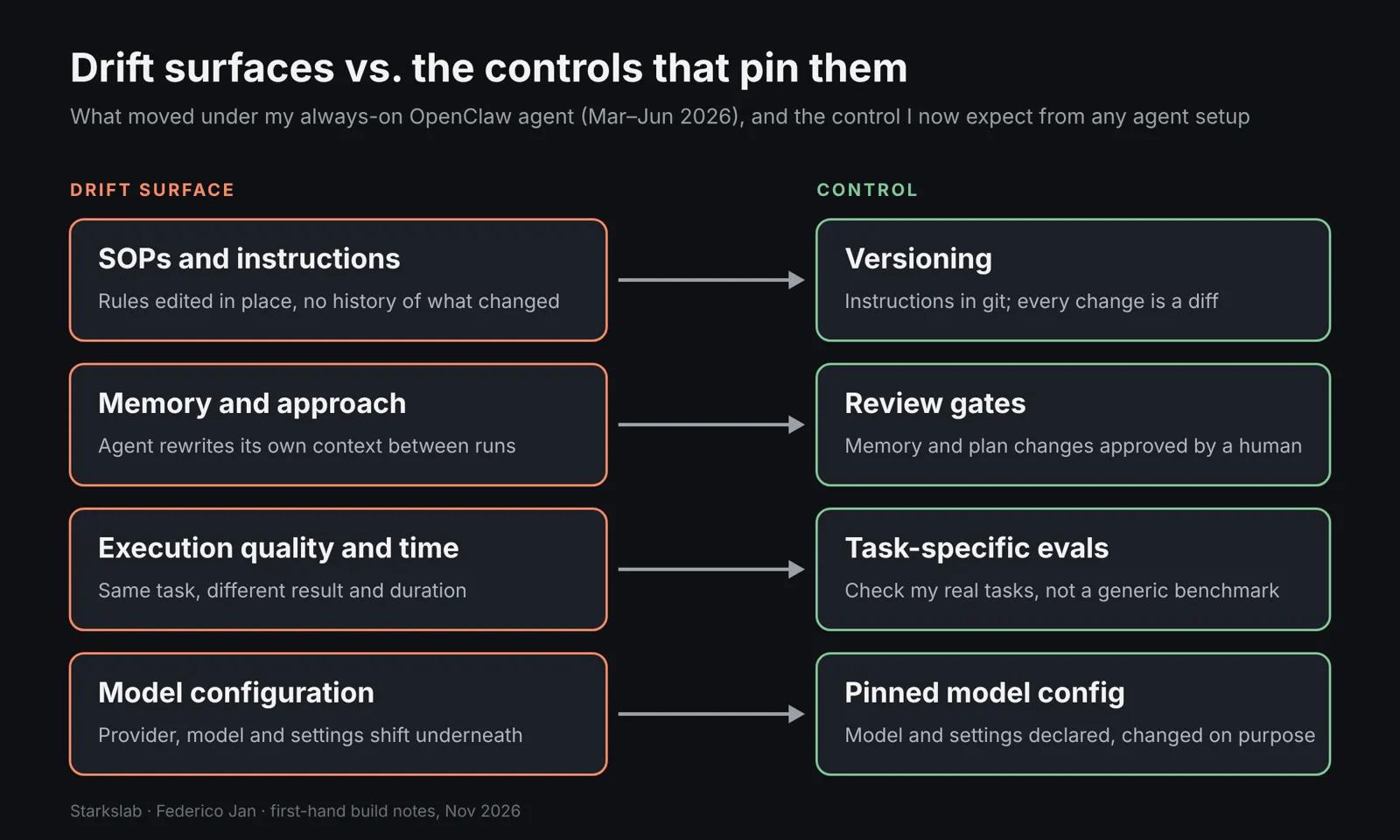
The bigger problem was drift. Over weeks of heavy use, four things moved under me:
- SOPs and instructions. The rules I gave the agent changed, and I could not see what changed or when.
- Memory and approach. The way it handled a task shifted between runs.
- Execution quality and time. The same task gave different results and took different amounts of time.
- Model setup. The model configuration underneath was not something I had pinned.
Part of this is structural. OpenClaw agents can write to their own identity, memory and skills files, such as MEMORY.md and workspace skills, through the embedded coding agent. That is what makes it feel alive, and it is described in my OpenClaw source code teardown.
What was missing
The rest was my setup. I had no versioning, no governance and no task-specific evals. A playground does not need them; a production partner does.
Drift is hard to notice because no single run looks broken. Each answer is plausible on its own. You only see it when you compare this week's result for a task with last month's, and without versioning or evals there is nothing to compare against.
That is why I call them drift surfaces rather than bugs. A bug is a single wrong output you can point at. Drift is the slow change of an SOP, a habit or a configuration, and it needs a control that makes change visible.
What I use now: Claude Code remote control, cloud sessions and the Codex app
Claude Code Remote Control
My work now moves across devices: I can start in Claude Code and keep going from my phone. Claude Code Remote Control connects claude.ai/code or the Claude app on iOS and Android to a session running on my machine. Execution and file access stay local, and the conversation stays in sync across devices.
That covers the part of OpenClaw I missed most. I can check on a session from my phone, answer a question the agent asked, and go back to the terminal later without losing the thread.
Cloud sessions for work that outlives the laptop
Remote Control does not fix the offline-Mac problem on its own. The docs are clear that your computer has to stay on and the claude process has to keep running; it reconnects by itself after sleep or a network drop. For work that should keep going without the laptop, the answer is cloud sessions.
Cloud sessions run on cloud infrastructure, Anthropic-managed by default, and keep running after you close your laptop. You can start or steer them from the browser, the Claude mobile app, the desktop app or the terminal. That is the part that removes the need to travel with a Mac.
The rule of thumb that follows from the docs is simple. If the work needs your local files, tools and MCP servers, it runs on your machine and you reach it with Remote Control. If it should keep running while you are offline, it goes to a cloud session.
The Codex app across a Mac mini and a VPS
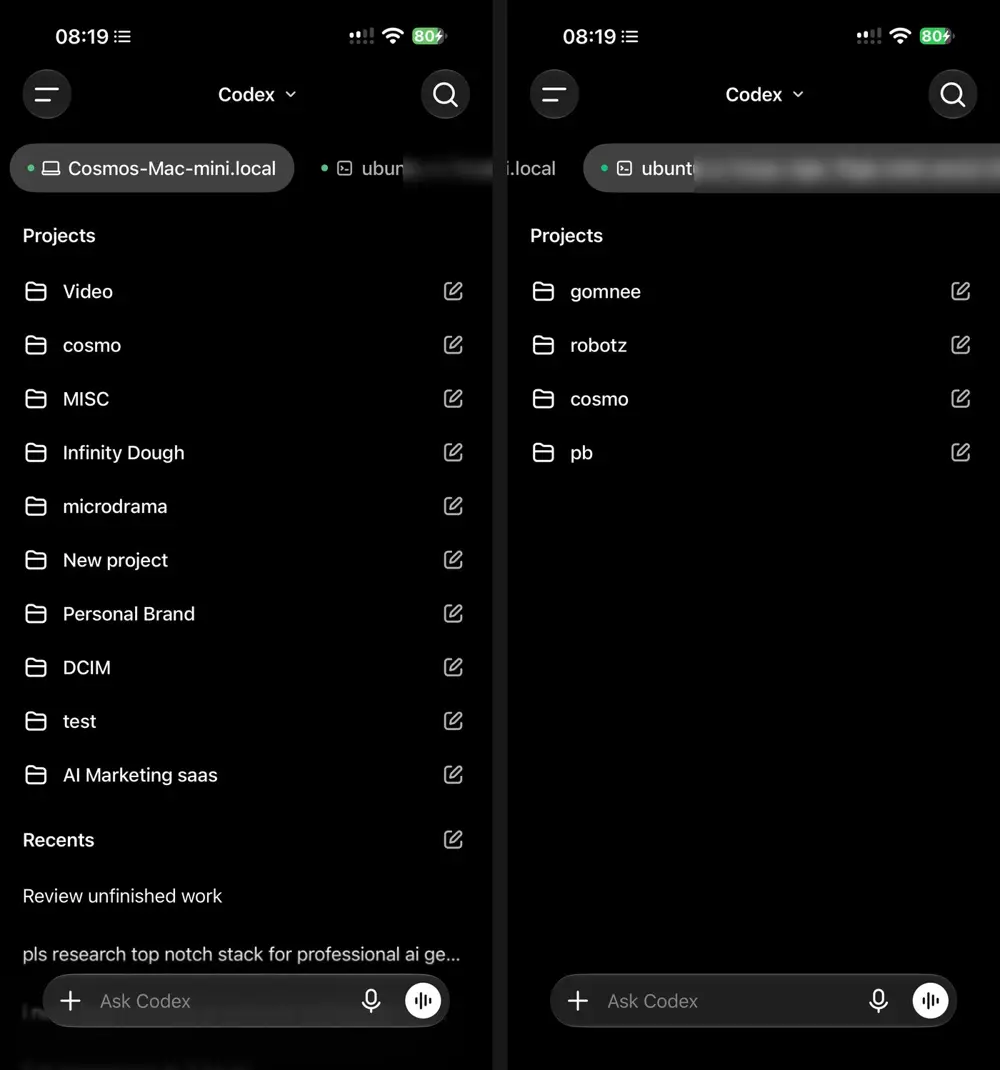
On the OpenAI side, the Codex CLI is a coding agent that runs locally, codex app opens the desktop app experience, and Codex Web is the cloud agent at chatgpt.com/codex. On my phone, the Codex app shows two connected machines, my Mac mini and my Ubuntu VPS, each with its own real projects. One app, real projects, a home machine and a server.
The CLI is not identical everywhere. In a Linux x86_64 check of codex-cli 0.164.0 on 6 November 2026, codex help app returned unrecognized subcommand, while the same build lists an experimental remote-control command with start, stop and pair for an app-server daemon.
Scheduled, not always-on
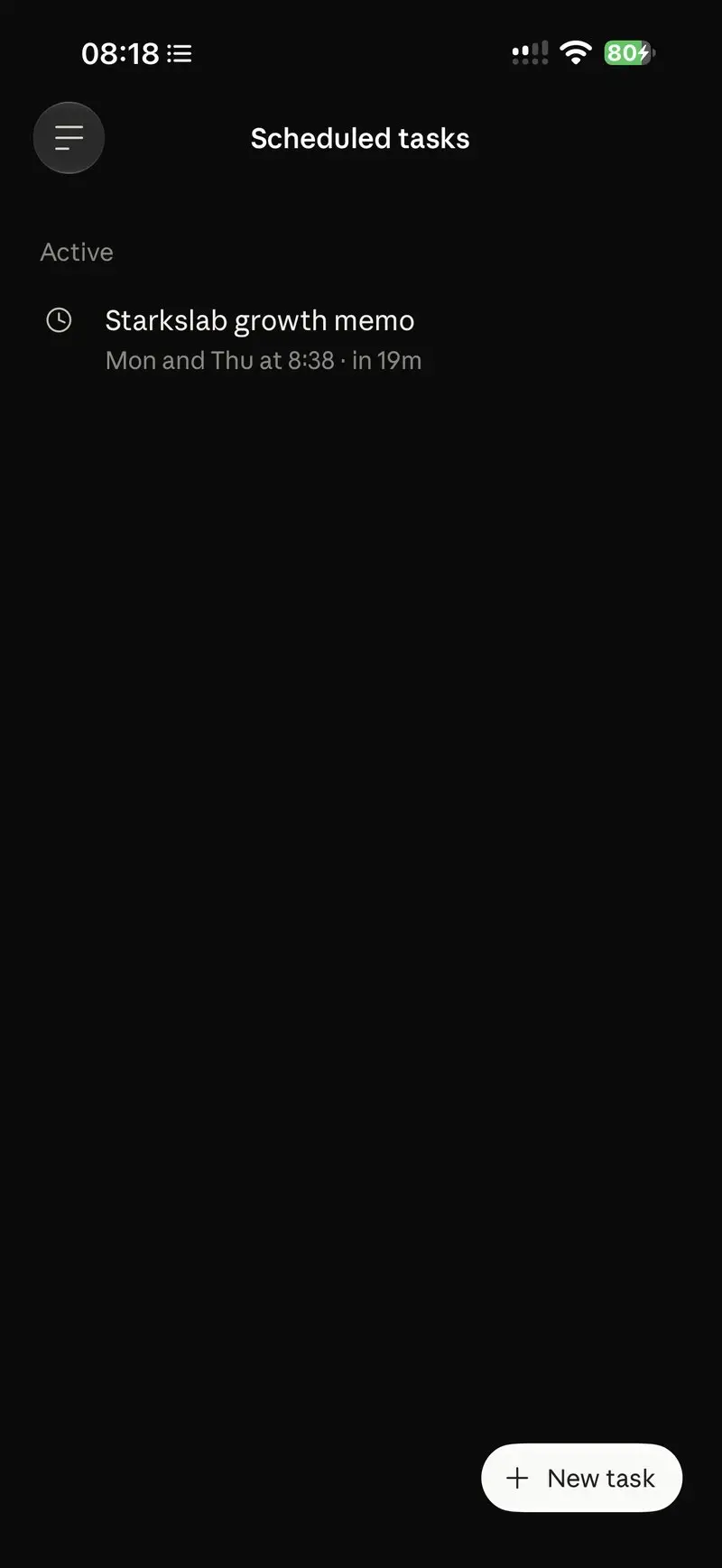
The always-on part did not disappear. It became scheduled and governed: my Claude app runs a twice-weekly growth memo as a scheduled task, instead of an agent that decides on its own what to do every 30 minutes. I know when it runs, what it is asked to do, and where the output lands.
Command
codex --version; codex help app; codex help remote-control | head -8Actual output
codex-cli 0.164.0
error: unrecognized subcommand 'app'

Usage: codex [OPTIONS] [PROMPT]
       codex [OPTIONS] <COMMAND> [ARGS]

For more information, try '--help'.
[experimental] Manage the app-server daemon with remote control enabled

Usage: codex remote-control [OPTIONS] [COMMAND]

Commands:
  start  Start the app-server daemon with remote control enabled
  stop   Stop the app-server daemon
  pair   Create and print a short-lived manual pairing code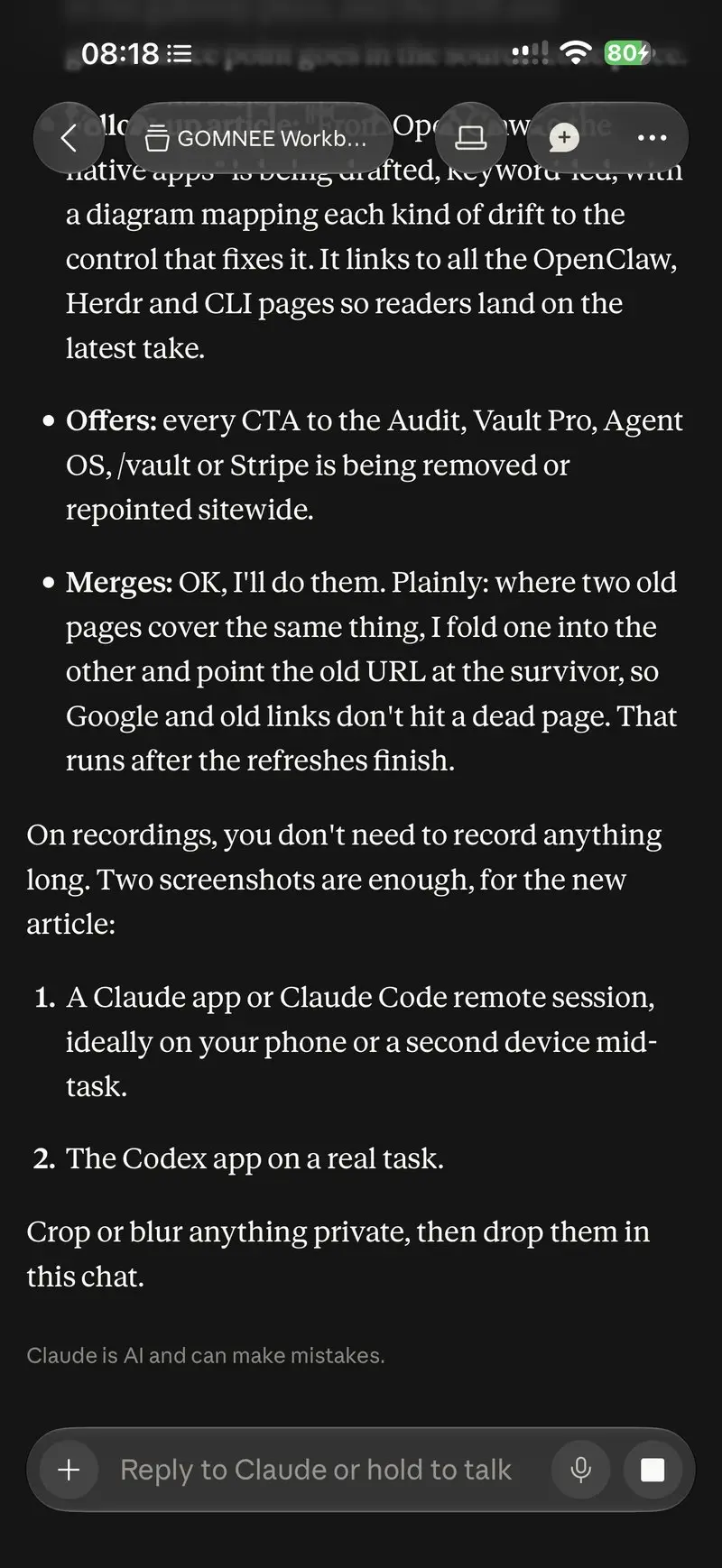
OpenClaw vs Claude Code: what actually changed for reliability
The model did not get magically more reliable. What changed is that each drift surface now has a place where I can pin it.
| Drift surface | What I saw on OpenClaw | Control that pins it |
|---|---|---|
| SOPs and instructions | Rules edited in place | Versioning |
| Memory and approach | Context rewritten between runs | Review gates |
| Execution quality and time | Same task, different result and duration | Task-specific evals |
| Model configuration | Settings shifting underneath | Pinned model config |
Versioning. Instructions and settings live in the repository. For a cloud session you can commit settings to .claude/settings.json, so configuration changes are diffs, not silent edits.
Review gates. Changes land on a branch with a diff view. I can comment on lines and open a pull request before anything counts as done.
Pinned model config. The model is picked per session, and an effort level pinned with CLAUDE_CODE_EFFORT_LEVEL holds even if a device asks for something else.
Task evals. This one is discipline, not a product feature. The check runs on your own recurring tasks, not on a generic benchmark, and a change in result or duration is the signal.
Notice that three of the four controls come from the tools and one comes from you. That split matters. No app will write your evals for you, and no amount of versioning helps if you never look at the diffs.
The honest summary of OpenClaw vs Claude Code for me: OpenClaw was better at feeling present, and the coding apps are better at being accountable. For production work, accountable wins. Presence can be rebuilt with remote sessions and scheduled tasks; accountability is much harder to bolt onto a self-editing agent.
What a builder should take away
If you are looking at OpenClaw alternatives, compare them by controls, not by features. Three rules cover most of what I learned:
- Version the agent's instructions. If an SOP can change without a diff, it will drift.
- Put review gates on memory and output. An agent that rewrites its own context needs a human checkpoint.
- Evaluate on your own tasks. Execution quality and time are only visible if you measure the work you actually delegate.
Pin the model configuration as the fourth, quieter rule. A model swap can change behaviour as much as a prompt rewrite, so it deserves the same review.
None of these rules require a specific product. You can apply them to OpenClaw, to a custom agent, or to the coding apps. The difference I found is how much of the work the tool does for you versus how much you have to build around it.
A practical first week
If you want to start without changing tools, do three things. Put your agent's instructions file under git and review every change to it. Write down three tasks you delegate often, with what a good result looks like and roughly how long it should take. Record which model and settings you run, and change them only on purpose.
After a few weeks you will know whether your agent is drifting, and on which surface. That is more useful than any feature comparison.
For a structured way to compare tools on these points, use the AI agent frameworks control-surface guide. It walks through tools, memory, schedules, traces and review gates against a real operating loop.
What I still use the terminal for
I still open tmux and the terminal, mainly for debugging. When a session misbehaves, I want raw output and a shell, not a chat window. Debugging is where raw output beats summaries: a stack trace, a failing command, a process that will not exit. A chat view is great for steering work and poor for reading a wall of logs.
If you run many agent panes in a terminal, Herdr is a terminal control surface for supervising them, with detach and reattach. For day-to-day work, though, the apps are where I live now.
That is the real shift. The terminal used to be where my agent lived. Now it is where I go when I need to look under the hood, and the agent lives in versioned repos and governed sessions I can reach from any device.